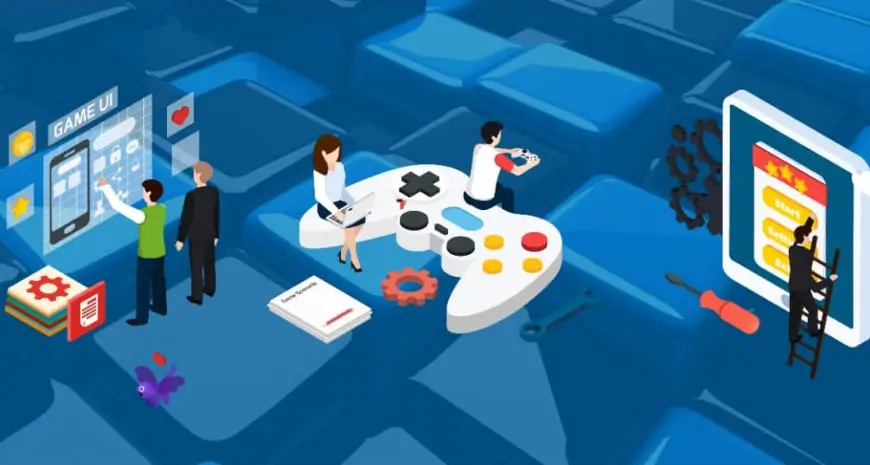
Unity3D has solidified its position as one of the most powerful and versatile game engines in the world, powering over 50% of all mobile games and a significant portion of console and PC titles. Whether you are an indie developer building a 2D platformer or an enterprise team creating complex AR/VR training simulations, Unity provides an unmatched ecosystem of tools, assets, and deployment capabilities.
In this comprehensive guide, we will explore exactly why Unity3D remains the go-to choice for developers and studios, examining its cross-platform capabilities, the power of its editor, its rendering pipelines, and why it’s the perfect foundation for your next project.
The Evolution of Unity3D: From Mac Exclusive to Industry Standard
When Unity first launched in 2005 at Apple’s Worldwide Developers Conference, its mission was simple: democratize game development. Before Unity, creating a 3D game required building a custom engine from scratch—a process that took millions of dollars and years of engineering time. Unity changed the paradigm by offering a ready-to-use engine that allowed developers to focus on gameplay rather than low-level graphics programming.
Today, Unity is far more than just a game engine. It is a comprehensive real-time 3D development platform used across industries, from film animation and architecture to automotive design and medical simulations.
1. Unrivaled Cross-Platform Deployment
The single biggest reason developers choose Unity is its “build once, deploy anywhere” capability. In modern game development, restricting your product to a single platform leaves massive revenue on the table.
Unity supports deployment to over 25 different platforms, including:
- Mobile: iOS, Android
- Desktop: Windows, macOS, Linux
- Consoles: PlayStation 4/5, Xbox One/Series X|S, Nintendo Switch
- AR/VR: Meta Quest, Apple Vision Pro, Microsoft HoloLens, PlayStation VR
- Web: WebGL
This cross-platform architecture means that a Unity3D game development team can build the core gameplay logic once and deploy it across mobile, PC, and console with minimal platform-specific adjustments. This drastically reduces development costs and time-to-market.
2. The Power of C# Scripting
Unity uses C# as its primary scripting language. C# is an object-oriented language developed by Microsoft that strikes the perfect balance between the high performance of C++ and the ease-of-use of higher-level languages.
For developers, C# offers:
- Strong Typing and Safety: Catching errors at compile-time rather than run-time.
- Massive Developer Community: Millions of developers already know C#, meaning finding talent or learning the language is incredibly easy.
- Garbage Collection: Automatic memory management speeds up development and reduces memory leak issues common in C++ engines.
- Modern Features: With regular updates, Unity’s implementation of C# supports modern programming paradigms like LINQ, async/await, and records.
3. The Visual Editor and Component System
Unity’s editor is famously intuitive. It uses an Entity-Component-System (ECS) architecture, though traditionally it relies heavily on the GameObject-Component model.
In Unity, everything in a scene is a GameObject. By attaching Components (scripts, physics colliders, audio sources, renderers) to a GameObject, you define its behavior. This modular approach allows designers and artists to tweak gameplay without writing a single line of code. They can adjust jump heights, change lighting colors, or swap audio files directly in the Inspector window.
4. The Unity Asset Store: A Developer’s Best Friend
The Unity Asset Store is arguably Unity’s biggest competitive advantage. It is a massive marketplace where developers can buy and sell 3D models, 2D sprites, audio effects, full project templates, editor extensions, and complex scripting systems.
For an independent studio or a lean development team, the Asset Store is a force multiplier. Instead of spending weeks coding a custom inventory system or creating generic background foliage, developers can purchase high-quality assets for a fraction of the cost of building them from scratch. This allows teams to focus their budget and time on what makes their game unique.
5. Advanced Graphics: URP and HDRP
Historically, Unity was criticized for not matching the high-end photorealism of competitors like Unreal Engine. However, the introduction of the Scriptable Render Pipeline (SRP) completely changed the narrative.
Unity now offers two primary rendering pipelines:
- Universal Render Pipeline (URP): Optimized for performance. URP is designed to deliver beautiful graphics while running smoothly on mobile devices, low-end PCs, and VR headsets.
- High Definition Render Pipeline (HDRP): Designed for high-end PCs and modern consoles. HDRP provides physically based lighting, ray tracing, volumetric fog, and photorealistic rendering capabilities.
This dual-pipeline approach ensures that whether you are building a hyper-casual mobile game or a AAA-quality console title, Unity has the rendering technology to support your vision.
6. Robust 2D Tools
While it has “3D” in the name, Unity is also an industry-leading 2D game engine. Massive hits like Hollow Knight, Cuphead, and Ori and the Blind Forest were built in Unity.
Unity provides a dedicated 2D toolset including:
- Sprite Editor: For slicing and managing 2D sprite sheets.
- Tilemap System: For rapidly building 2D levels and grid-based worlds.
- 2D Physics: A specialized physics engine (Box2D) optimized specifically for 2D interactions.
- 2D Skeletal Animation: Allowing developers to animate 2D characters using bones and inverse kinematics, rather than drawing frame-by-frame.
7. AR and VR Leadership
Unity dominates the XR (Extended Reality) space. Over 60% of all AR and VR content is built using Unity. Tools like the AR Foundation framework allow developers to build augmented reality experiences that work seamlessly across both Apple’s ARKit and Google’s ARCore.
Whether you are developing a VR game for the Meta Quest or an enterprise AR application for industrial training, Unity provides the most mature, heavily supported ecosystem for immersive technology.
8. Analytics, Ads, and Multiplayer
Building a game is only half the battle; launching and maintaining it is equally critical. Unity provides a suite of integrated services called Unity Gaming Services (UGS).
- Unity Ads: A built-in monetization solution that allows developers to easily integrate video and playable ads into mobile games.
- Unity Analytics: Real-time data tracking that helps developers understand player behavior, identify where players are getting stuck, and optimize the game for better retention.
- Multiplayer (Netcode): Robust solutions for building synchronous and asynchronous multiplayer games, complete with matchmaking and server hosting.
Frequently Asked Questions
Is Unity3D only for making games? No. While it started as a game engine, Unity is now used extensively for architectural visualization, automotive design, film and animation production, medical simulations, and enterprise AR/VR training programs.
How much does Unity cost? Unity offers a free “Personal” tier for developers and small studios making less than $200,000 in revenue or funding over the past 12 months. Above that threshold, studios must upgrade to Unity Pro or Enterprise, which are paid via a per-seat subscription.
Which is better: Unity or Unreal Engine? It depends on the project. Unity is generally considered better for mobile games, 2D games, AR/VR, and cross-platform deployment due to its scalability and C# foundation. Unreal Engine is often preferred for high-end, photorealistic 3D console and PC games due to its advanced out-of-the-box lighting and Blueprint visual scripting.
Can I build a multiplayer game with Unity? Yes. Unity provides built-in tools like Netcode for GameObjects (NGO) and Unity Transport, as well as integrated matchmaking and dedicated server hosting through Unity Gaming Services. There are also powerful third-party solutions like Photon available on the Asset Store.
How long does it take to learn Unity? With a basic understanding of programming, you can learn the fundamentals of the Unity editor and C# scripting in a few weeks. However, mastering advanced concepts like custom shaders, performance optimization, and multiplayer architecture takes years of dedicated practice.
Build Your Next Game with NSDBytes
Choosing the right engine is just the first step. Creating a successful game requires expert design, flawless programming, and rigorous optimization.
At NSDBytes, our dedicated Unity3D game development team has the experience to bring your vision to life. From mobile hyper-casual hits to complex cross-platform multiplayer experiences, we provide end-to-end game development services tailored to your business goals.
Discuss your Unity project with our experts →
Related Articles
Frequently Asked Questions

Written by the NSDBytes Team
We are passionate about software development, AI integration, and helping businesses achieve operational excellence through modern technology.
Need something like this built?
We’ve helped 200+ companies build and scale production-grade software.