

Our UI/UX Design
- Research and Analysis: We dive deep into your target audience’s needs and behaviours to create user-centric designs that resonate with your users.
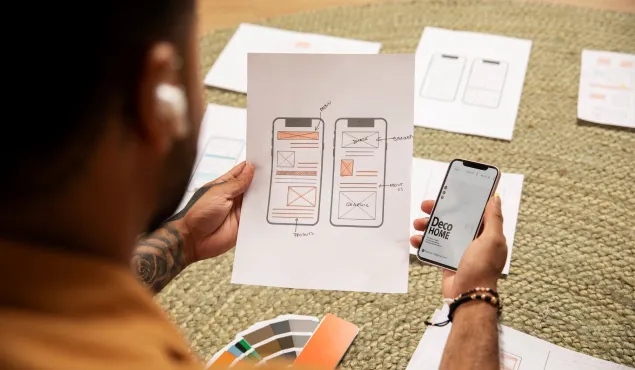
- Wireframing and Prototyping: We start with wireframes and prototypes to visualize the user journey and refine the design before development begins.
- Visual Design: Our designers breathe life into your project with eye-catching visuals, cohesive color schemes, and pixel-perfect layouts.
- Responsive Design: We ensure your website or application is fully responsive, delivering a consistent experience across all devices and screen sizes.
Why Choose NSDBytes?
- Usability Testing: We conduct rigorous testing to identify and eliminate usability issues, making your product user-friendly from day one.
- Iterative Refinement: We believe in continuous improvement. We analyze user feedback and data to refine and optimize your UI/UX over time.
- Innovation at the Core: We stay on top of emerging design trends and technologies to ensure your product remains ahead of the curve.
- Collaborative Approach: Our commitment to quakity to quality means your final oriduct is not only visually stunning but also highly functional and bug-free.
After Transforming Ideas into Intuitive Experiences
Discover how our user-centered process transforms ideas into intuitive digital experiences. We blend creativity, research, and innovation to ensure your product captivates and engages your audience, all while delivering tangible results.
Wireframing & Prototyping
We produce essential wireframes outlining element placement, followed by interactive prototypes simulating user interactions. Refine through stakeholder feedback and usability testing.
Development & Testing
Our skilled developers bring designs to life while rigorous testing ensures a flawless, responsive, and secure user experience.
Accessibility Considerations
Ensure post-development testing for WCAG compliance, keyboard navigation, screen reader compatibility, and color contrast to prioritize accessibility.
Launch & Deployment
Thorough testing, Security measures, user communication, and ongoing monitoring ensure a successful transition to production.
Explore a Wide Range of Technologies

Bootstrap

Tailwind CSS

Figma

Adobe XD

Sass

HTML5

CSS3


Unreal Engine













FAQ’s
Welcome to our FAQ section, where we’ve compiled answers to commonly asked questions by our valued clients. Here, you’ll find insights and solutions related to our enterprise software and other services.
If your question isn’t covered here, feel free to reach out to our support team for personalized assistance.
Your Roadmap to Success Begins Here
Welcome to NSDBytes, an innovative IT company with a passion for excellence. As a trusted mobile app and custom software development company, we are dedicated to crafting solutions that exceed expectations.
Our team of experts is eager to bring your ideas to life and drive success for your business. Contact us now to discuss your project and start a transformative journey of collaboration and growth.